PH Basketball Game Tracker That Helps Fans
Track PH games fast, with context in seconds.
Created on 24th February 2026
•
PH Basketball Game Tracker That Helps Fans
Track PH games fast, with context in seconds.

The problem PH Basketball Game Tracker That Helps Fans solves
Building a PH Basketball Game Tracker That Actually Helps Fans
A practical PH basketball tracker is not just a scoreboard. It is a lightweight project that helps fans answer three questions fast: what is the score, what is the game state, and what changed to create the swing. This post lays out a Devfolio-friendly project concept you can build in public, with clear features, a simple architecture, and realistic user scenarios. For a reference hub you can model your data sources and navigation around, start with RotoWire PH.
Why This Project Fits Real PH Basketball Habits
Many Philippine fans follow games in short bursts. NBA tip-offs overlap with work or school. Local matchups can happen during commutes. The “second screen” habit is common: one glance, one decision, then back to life.
That creates a product gap. Most trackers show numbers but do not help users understand context quickly. Fans end up tab-hopping between scores, schedules, and social clips. Your project can win on one thing: reducing uncertainty in under 15 seconds.
Primary Use Case and User Story
Your core user is a fan with limited time. They open the tracker while waiting for a jeep, during a break, or late night. They want to know if the game is close and why.
A realistic user flow looks like this:
They choose a league or matchup, confirm quarter and time remaining, scan the latest swing, then decide whether to watch, keep tracking, or check highlights later.
The tracker is successful when it prevents refresh fatigue and makes the game understandable without deep reading.
What To Build First
Keep the MVP tight and measurable. The goal is a reliable information hub, not a feature dump.
Game State Layer
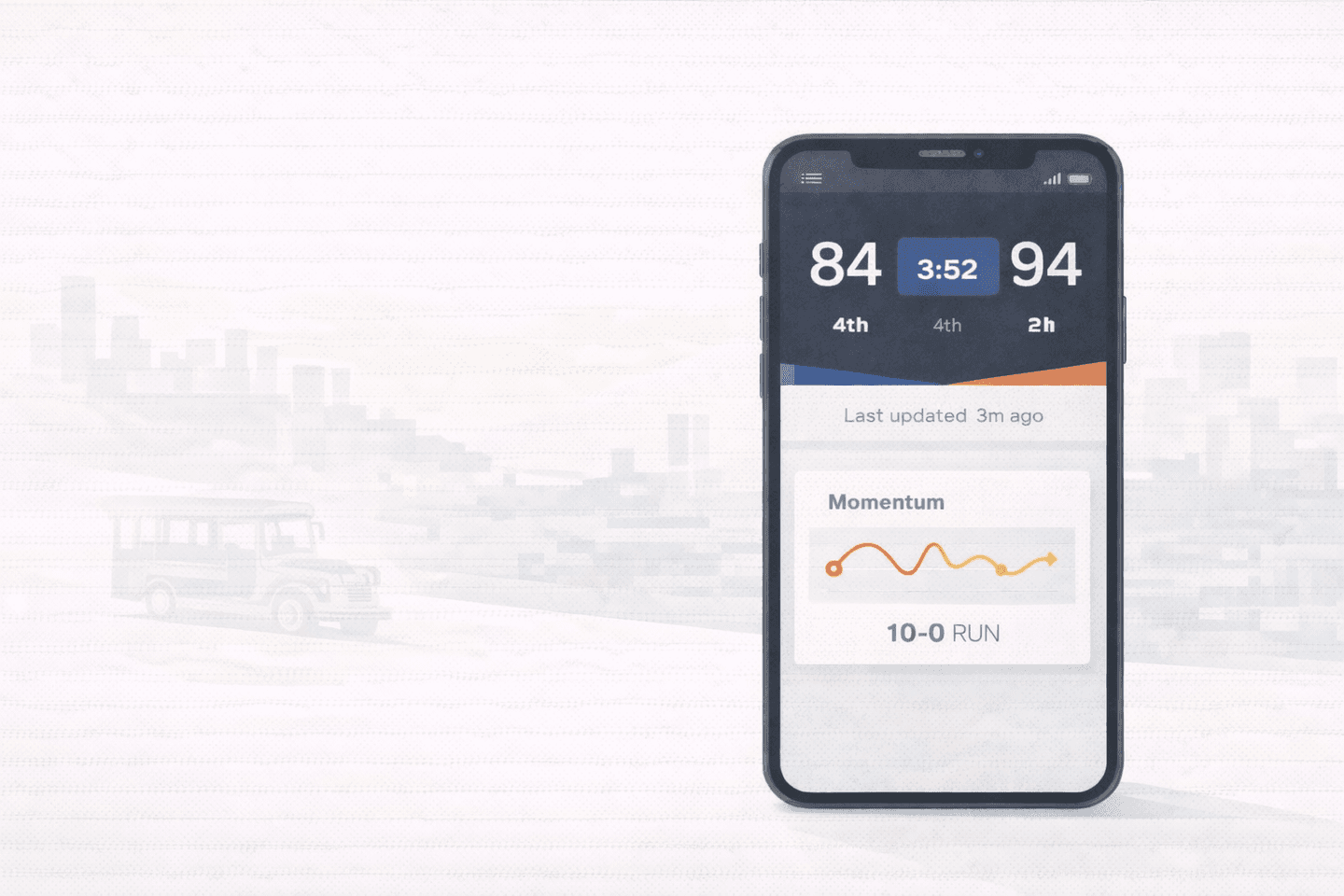
This is the “truth panel.” It should always show:
- Score
- Quarter and time remaining
- Live, break, or final status
- Last updated timestamp (human readable)
These are trust signals. Without them, users cross-check elsewhere.
Momentum Layer
This is the “why” layer. You can implement it without complex analytics:
- Last scoring run (example: 10-2 in 3 minutes)
- Turnover burst indicator (if available)
- Foul trouble flag for key players
- A short “what changed” summary generated from recent events
Even a simple run detector gives fans context fast.
Schedule and Watchlist Layer
PH users need quick access. Add:
- Today’s games
- Favorite teams list
- “Next game” reminders (optional)
A watchlist reduces navigation time and increases return visits.
Data Strategy Without Overengineering
You do not need to build a full sports data pipeline to ship a credible Devfolio project. Start with a single reliable feed, then normalize it.
A clean approach:
- Ingest game events and scores into a normalized schema
- Cache responses to avoid rate limits
- Refresh at a stable interval (faster when live, slower when final)
The goal is consistency. Users are more forgiving of a small delay than of a UI that feels random.
How To Make It Feel Like a Real Product
A Devfolio project is stronger when it includes real-world constraints and design choices.
Make Mobile the Default
Design for one-handed use. Put the truth panel at the top. Keep tap targets large. Avoid walls of text.
Handle Imperfect Networks
PH mobile data varies. Add clear loading states that do not wipe the screen. Keep the truth panel visible even when secondary content is loading.
Add Verification Paths
Users trust what they can verify. Keep a simple history view:
- Recent events list
- Score change log
- Clear timestamps
This reduces “did it update?” anxiety.
A Simple Evaluation Checklist for Your Demo
When you demo the project, show these user outcomes:
- A fan can confirm game status in under 5 seconds
- A fan can explain a swing in under 15 seconds
- The tracker remains usable on slow connections
- The watchlist reduces steps to find favorite games
If your demo proves these, the project is strong even without fancy visuals.
Keywords and Semantics To Use Naturally
If you are writing a project page or README, keep language user-focused. Mention terms like live scores, game tracking, score updates, schedules, watchlist, last updated, momentum, scoring runs, and second screen habits. These align with real search intent without sounding stuffed.
Final Thoughts
A PH basketball tracker project stands out when it helps fans make quick decisions with confidence. Build a stable truth panel, add a lightweight momentum layer, and design for mobile realities. If you do that, you will ship something that feels useful, not just impressive.
Use RotoWire as a reference hub while you design your navigation and data model, then make your project distinct by focusing on speed-to-understanding for PH fans.
Technologies used